 88aa6098f0
* refactor(a11y): comprehensive WCAG 2.2 AA accessibility improvements

Add skip-to-content link, landmark regions, ARIA attributes, keyboard
navigation, focus styles, reduced-motion support, and i18n keys across
all layouts, partials, shortcodes, and JS components.

- Add skip nav link in baseof.html and id="content" on all <main> tags
- Fix 404 page lang/dir attributes and add <main> landmark
- Add aria-label to banner close, PDF iframe, search input/results
- Remove aria-hidden from back-to-top button
- Add aria-hidden to decorative external link icon
- Add role="tablist" to tabs, aria-expanded to filetree/dropdowns
- Wrap mermaid diagrams in role="img", asciinema in role="region"
- Change theme toggle <p> items to <button role="menuitem"> with
  full keyboard navigation (Arrow/Home/End/Escape)
- Add arrow-key keyboard navigation to tabs component
- Separate sidebar collapsible button from link for independent
  keyboard access with aria-expanded sync
- Sync aria-expanded on all dropdown toggles (theme, lang, navbar,
  hamburger, page context menu)
- Add aria-live search status announcements
- Add 13 new i18n keys, replace hardcoded aria-label strings
- Add prefers-reduced-motion CSS override and focus-visible base styles
- Add aria-label swap on code copy ("Copied!" feedback for AT)
- Add aria-current to active TOC links
- Wrap filetree in <ul> container for proper list semantics
- Add unique aria-label to blog "Read more" links
- Document accessibility guidelines in AGENTS.md

* feat(a11y): enhance focus styles and accessibility for various components

- Add focus-visible styles to badges, buttons, and links for improved keyboard navigation.
- Update breadcrumb, sidebar, and TOC components to include focus-visible outlines.
- Introduce new classes for focus states in the badge and tabs shortcodes.
- Ensure consistent focus styles across all interactive elements to meet WCAG 2.2 AA standards.

* feat(a11y): implement new focus-visible utilities and enhance accessibility styles

- Introduce new utility classes for focus-visible states to improve keyboard navigation.
- Update various components including badges, buttons, and search inputs to utilize new focus-visible styles.
- Refactor existing focus styles to ensure consistency and compliance with accessibility standards.
- Enhance breadcrumb, sidebar, and TOC components with updated focus-visible classes for better user experience.

* chore: add .gitattributes to collapse generated files in PR diffs

* fix: enhance accessibility and improve documentation

- Added alt attributes to images in multiple language documentation files for better accessibility.
- Updated the navbar title partial to remove unnecessary title attribute.
- Improved search input accessibility by adding autocomplete="off".
- Enhanced search partials in both navbar and sidebar with location context.
- Updated SVG icons in various components to include aria-hidden and focusable attributes for improved accessibility compliance.

* fix: improve giscus theme toggle functionality

- Updated the theme toggle options selector to use a data attribute for better specificity.
- Modified the event listener to use a setTimeout for the theme update, ensuring smoother transitions when the theme switcher is clicked.

* fix: resolve axe-core WCAG AA violations across docs pages

Add aria-labels to Hugo task list checkboxes, fix asciinema player
timer accessible names, make Jupyter output cells keyboard-focusable,
and add missing heading hierarchy in shortcodes docs for fa/ja/zh-cn.

* feat: integrate accessibility testing with Playwright and enhance CI workflow

- Added Playwright configuration for accessibility testing.
- Implemented accessibility tests using axe-core for all English pages.
- Created a GitHub Actions workflow to automate accessibility tests on pull requests.
- Updated package dependencies to include @axe-core/playwright and @playwright/test.
- Enhanced sidebar component with data attributes for improved accessibility styling.

* fix: update base URL and improve accessibility labels across multiple languages

- Changed the base URL in Playwright configuration and CI workflow from localhost:3000 to localhost:1313.
- Added accessibility labels for screen readers in various language files, enhancing user experience for visually impaired users.
- Updated the Asciinema script to dynamically set the playback time label for better accessibility compliance.

* refactor: reorganize accessibility tests and update test directory structure

- Moved accessibility tests from the e2e directory to a new tests directory for better organization.
- Updated the test directory path in Playwright configuration.
- Refactored the accessibility test implementation to improve code clarity and maintainability.

* chore: update .gitignore to include Playwright test output directories

- Added entries for 'playwright-report/' and 'test-results/' to the .gitignore file to prevent cluttering the repository with test artifacts.

* refactor: enhance accessibility and improve focus styles across components

- Removed unused utility for focus visibility in CSS and consolidated focus-visible styles for better maintainability.
- Updated various components to use `role` attributes for improved accessibility, including menu items and buttons.
- Enhanced theme toggle and language switch components with appropriate ARIA roles and attributes for better screen reader support.
- Improved the handling of focus states in the navigation and context menus to ensure a consistent user experience.

* chore: update dependencies and enhance accessibility features

- Updated the 'serve' package version in package.json and package-lock.json for improved performance.
- Removed unused 'xml2js' dependency to streamline the project.
- Enhanced the Playwright configuration to better manage the web server setup for testing.
- Improved accessibility in the language switcher and navigation menu by refining focus management and keyboard interactions.
- Updated the back-to-top button to manage tabindex for better accessibility compliance.

* feat: enhance mobile menu accessibility and keyboard interactions

- Added ARIA attributes to manage visibility of the sidebar on mobile devices.
- Implemented focus management for the sidebar when the menu is toggled.
- Introduced keyboard support to close the menu with the Escape key.
- Improved overall accessibility for the hamburger menu and sidebar interactions.

* fix: refine mobile menu keyboard interaction and enhance navbar accessibility

- Updated the Escape key functionality to close the menu only on mobile devices.
- Added a new ARIA attribute to the hamburger menu button for improved accessibility.
6.9 KiB
title, weight, tags, next, prev
| title | weight | tags | next | prev | ||
|---|---|---|---|---|---|---|
| شروع به کار | 1 |
|
/docs/guide | /docs |
شروع سریع با قالب
{{< icon "github" >}} imfing/hextra-starter-template
میتوانید با استفاده از مخزن قالب فوق به سرعت شروع به کار کنید.
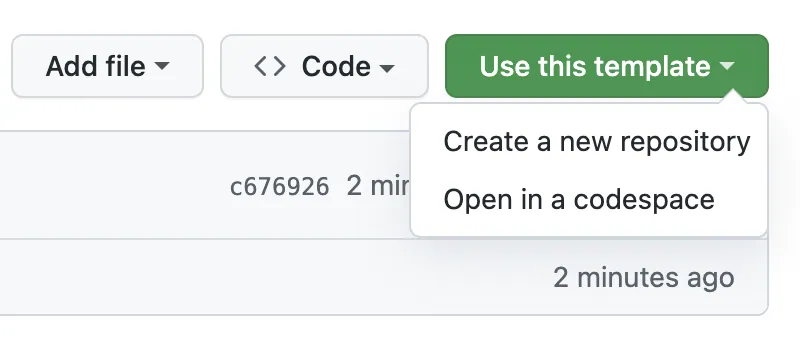
ما یک گردش کار GitHub Actions ارائه کردهایم که میتواند به صورت خودکار سایت شما را ساخته و در GitHub Pages مستقر کند و به صورت رایگان میزبانی کند. برای گزینههای بیشتر، استقرار سایت را بررسی کنید.
شروع به عنوان پروژه جدید
دو روش اصلی برای افزودن تم Hextra به پروژه Hugo شما وجود دارد:
-
ماژولهای Hugo (توصیه شده): سادهترین و توصیهشدهترین روش. ماژولهای Hugo به شما امکان میدهند تم را مستقیماً از منبع آنلاین آن دریافت کنید. تم به صورت خودکار دانلود شده و توسط Hugo مدیریت میشود.
-
زیرماژول Git: به عنوان جایگزین، Hextra را به عنوان یک زیرماژول Git اضافه کنید. تم توسط Git دانلود شده و در پوشه
themesپروژه شما ذخیره میشود.
راهاندازی Hextra به عنوان ماژول Hugo
پیشنیازها
قبل از شروع، باید نرمافزارهای زیر را نصب کرده باشید:
مراحل
{{% steps %}}
راهاندازی یک سایت جدید Hugo
hugo new site my-site --format=yaml
پیکربندی تم Hextra از طریق ماژول
# راهاندازی ماژول Hugo
cd my-site
hugo mod init github.com/username/my-site
# افزودن تم Hextra
hugo mod get github.com/imfing/hextra
فایل hugo.yaml را برای استفاده از تم Hextra با افزودن موارد زیر پیکربندی کنید:
module:
  imports:
    - path: github.com/imfing/hextra
ایجاد اولین صفحات محتوای شما
صفحه محتوای جدید برای صفحه اصلی و صفحه مستندات ایجاد کنید:
hugo new content/_index.md
hugo new content/docs/_index.md
پیشنمایش سایت به صورت محلی
hugo server --buildDrafts --disableFastRender
تبریک میگوییم، پیشنمایش سایت جدید شما در http://localhost:1313/ در دسترس است.
{{% /steps %}}
{{% details title="چگونه تم را بهروزرسانی کنیم؟" %}}
برای بهروزرسانی تمام ماژولهای Hugo در پروژه خود به آخرین نسخهها، دستور زیر را اجرا کنید:
hugo mod get -u
برای بهروزرسانی Hextra به آخرین نسخه منتشر شده، دستور زیر را اجرا کنید:
hugo mod get -u github.com/imfing/hextra
برای جزئیات بیشتر، ماژولهای Hugo را ببینید.
{{% /details %}}
راهاندازی Hextra به عنوان زیرماژول Git
پیشنیازها
قبل از شروع، باید نرمافزارهای زیر را نصب کرده باشید:
مراحل
{{% steps %}}
راهاندازی یک سایت جدید Hugo
hugo new site my-site --format=yaml
افزودن تم Hextra به عنوان زیرماژول Git
به دایرکتوری سایت بروید و یک مخزن Git جدید راهاندازی کنید:
cd my-site
git init
سپس، تم Hextra را به عنوان زیرماژول Git اضافه کنید:
git submodule add https://github.com/imfing/hextra.git themes/hextra
فایل hugo.yaml را برای استفاده از تم Hextra با افزودن موارد زیر پیکربندی کنید:
theme: hextra
ایجاد اولین صفحات محتوای شما
صفحه محتوای جدید برای صفحه اصلی و صفحه مستندات ایجاد کنید:
hugo new content/_index.md
hugo new content/docs/_index.md
پیشنمایش سایت به صورت محلی
hugo server --buildDrafts --disableFastRender
پیشنمایش سایت جدید شما در http://localhost:1313/ در دسترس است.
{{% /steps %}}
هنگام استفاده از CI/CD برای استقرار سایت Hugo، ضروری است که قبل از اجرای دستور hugo، دستور زیر اجرا شود.
git submodule update --init
عدم اجرای این دستور منجر به پر نشدن پوشه تم با فایلهای تم Hextra شده و باعث شکست ساخت میشود.
{{% details title="چگونه تم را بهروزرسانی کنیم؟" %}}
برای بهروزرسانی تمام زیرماژولهای مخزن شما به آخرین کامیتها، دستور زیر را اجرا کنید:
git submodule update --remote
برای بهروزرسانی Hextra به آخرین کامیت، دستور زیر را اجرا کنید:
git submodule update --remote themes/hextra
برای جزئیات بیشتر، زیرماژولهای Git را ببینید.
{{% /details %}}
بعدی
برای شروع افزودن محتوای بیشتر، بخشهای زیر را بررسی کنید:
{{< cards >}} {{< card link="../guide/organize-files" title="سازماندهی فایلها" icon="document-duplicate" >}} {{< card link="../guide/configuration" title="پیکربندی" icon="adjustments" >}} {{< card link="../guide/markdown" title="Markdown" icon="markdown" >}} {{< /cards >}}